
Lesson 5. Debugging hooks 2. Using React Devtools
If you have used React for some time, no doubt that you know React Devtools already. If not, download the extension for your browser as soon as possible. It will make your debugging sessions much more comfortable, with or without hooks.
With our previous faulty example, when we open the Devtools (the Components
tab), we can see that, after selecting our component MyComp, not only the
props are displayed (none in this case), but also each hook used by the
component (see screenshot below).
Result
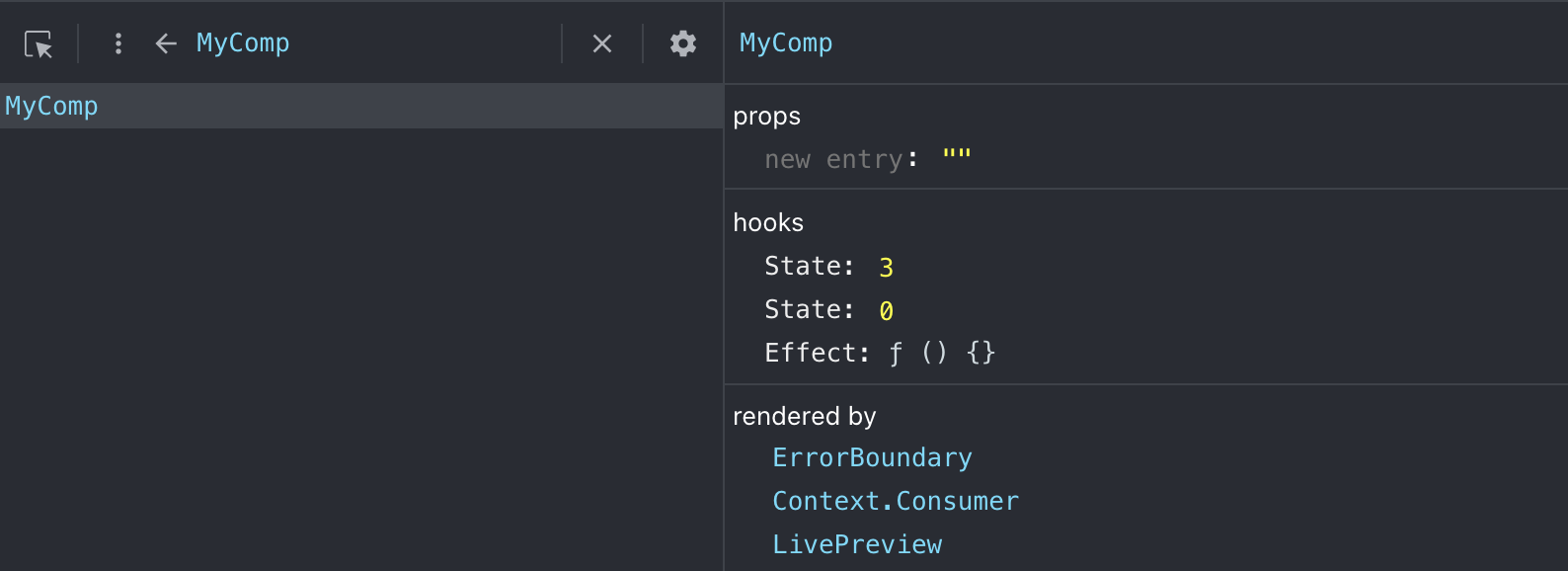
You will notice that you can easily see the local states declared with
useState, precisely in their declaration order. Remember that the order of
hooks is essential, as explained in the previous lesson.
There is also an entry for the effect declared with useEffect, although it
isn’t that useful since the dependencies array is not displayed. In our example,
we couldn’t have quickly identified that the problem was with the dependencies.